How to Password Protect a Folder in Linux (Ubuntu/Debian)
Linux does not have one universal “put a password on this folder” switch. The right method depends on whether you need simple account-based access control, an encrypted archive you can send, or encryption that keeps files unreadable when the disk is offline.
Linux Folder Security editorial teamUpdated August 17, 202618 min read
Quick answer
For a folder that stays on one Linux machine, use real encryption rather than relying on permissions alone. VeraCrypt is the clearest cross-platform choice for an encrypted container, GPG works well when you are encrypting files or an archive for transfer, and filesystem encryption such as fscrypt or full-disk LUKS is better when protection should be integrated with the system. eCryptfs still appears in older Ubuntu guides, but Ubuntu now treats it as deprecated.
On Linux, a folder is normally protected by the account and permission model around it. That can stop another unprivileged local user from opening the directory, but it is not the same as encrypting the underlying data. A person who can read the disk outside your running system, or an administrator with sufficient access, may still be able to reach files protected only by permissions.
If you want a password prompt that travels with the data, put the folder into an encrypted container or archive. If you want protection to happen transparently while you work, use filesystem or volume encryption. If you only need to stop other standard accounts on the same PC from browsing a directory, permissions may be enough.
This guide focuses on Ubuntu, Debian and closely related distributions. Linux Mint uses the same underlying concepts, although package names and desktop menus may differ.
Level 1Access control
chmod, chown and separate user accounts. Fast, built in, but not encryption.
Level 2Portable encryption
Encrypted 7z archives or GPG for files that need to move or be shared.
Level 3At-rest encryption
VeraCrypt, fscrypt or LUKS when disk access outside your login session is the threat.
Before starting
Requirements and what you need before starting
Back up the folder before changing encryption or ownership. Then decide what threat you are trying to stop. A stronger method is not automatically better if it makes recovery or sharing impractical.
A current backupKeep a separate copy before encrypting or moving files.
Your Linux accountYou may need sudo for packages, ownership and filesystem settings.
A strong passphraseUse a unique, long passphrase you can recover securely.
A recovery planKnow where keys, headers, backups or recovery details will live.
Important: encryption can protect confidentiality, but it can also lock you out permanently if the only key or passphrase is lost. Test recovery with non-critical data first.
Complete methods guide
Encrypt a Folder in Ubuntu - Full Guide
These methods solve different problems. Start with the one whose “best for” description matches your situation instead of choosing only by the strongest-looking algorithm.
Password Protect a Directory in Linux Using Permissions
Linux permissions are the native no-extra-software method. They do not add a separate folder password. Instead, they decide which local accounts can read, write or enter the directory. This is appropriate for a multi-user Linux computer where you trust the operating system and administrator but want to isolate standard accounts.
Confirm the folder owner. Use ls -ld before changing anything.
Restrict the directory. For a private directory owned by you, mode 700 gives the owner read, write and execute while removing group and other access.
Verify from another account. Test access using a non-privileged account rather than assuming the permission change worked.
chmod 700 "$HOME/PrivateFolder"
ls -ld "$HOME/PrivateFolder"
Good fit
No extra package required
Fast for local account separation
Easy to audit with standard commands
Limitations
No separate password prompt
Does not encrypt file contents
Root or offline disk access changes the threat model
How to password protect a ZIP or 7z archive in Linux
An encrypted archive turns a folder into one portable file. It is useful when the recipient should enter a password before extraction. The 7z format supports AES-256 encryption, and header encryption can also conceal filenames. The tradeoff is that you work by extracting and recreating the archive rather than editing a live folder transparently.
Install a compatible 7z command-line package. The exact package depends on your distribution.
Create an encrypted 7z archive. Prefer an interactive password prompt instead of placing a secret directly in shell history.
Test the archive. Open it in a clean location and confirm the password is required before deleting any source copy.
7z a -t7z -mhe=on -p protected-folder.7z "$HOME/PrivateFolder/"
If your local 7z build treats a bare -p differently, check 7z -h and use its interactive password form. Avoid embedding a real passphrase in a reusable command.
Good fit
Portable single-file package
Strong encryption in the 7z format
Good for email or removable media
Limitations
Not transparent while editing
Recipient needs compatible archive software
Weak passwords remain guessable
How to Use GPG to Encrypt Files in Linux
GnuPG can symmetrically encrypt data using a passphrase-derived key. For an entire directory, first bundle the files into a tar archive and then encrypt that archive. This keeps the workflow scriptable while avoiding the false impression that GPG itself is a live encrypted folder.
Create a tar archive. Bundle the directory into one stream.
Encrypt the archive symmetrically. GPG prompts for the passphrase.
Verify decryption to a test location. Keep the original until verification succeeds.
tar -czf private-folder.tar.gz "$HOME/PrivateFolder"
gpg --symmetric private-folder.tar.gz
Good fit
Built around a mature encryption tool
Works well in scripted workflows
Useful for files sent to another person
Limitations
Not a mounted live folder
You must manage plaintext working copies
Sharing one passphrase needs a separate secure channel
How to use VeraCrypt on Linux
VeraCrypt creates an encrypted volume that you mount when you need it. Files behave like normal files while the volume is mounted, then return to encrypted at-rest storage after you unmount it. Current VeraCrypt releases provide Linux packages, including builds for recent Ubuntu and Debian versions.
Install VeraCrypt from its official distribution. Match the package to your Ubuntu or Debian release and CPU architecture.
Create a standard encrypted volume. Choose a size that accommodates the files you expect to store.
Mount, copy and work. Use the mounted volume like a normal folder.
Unmount when finished. The at-rest data remains inside the encrypted container.
Clear separation between locked and unlocked state
Limitations
Requires software on systems that mount the volume
Volume handling adds workflow steps
Open files are readable while mounted
Modern Linux filesystem encryption with fscrypt
For supported filesystems, fscrypt provides file-level encryption integrated with the Linux filesystem. It is closer to a native encrypted-directory model than an archive. The exact setup depends on the filesystem, distribution packaging and whether the filesystem has been prepared for encryption, so treat it as an administrator-level option rather than a one-command password trick.
Confirm filesystem support. Identify the filesystem that holds the target directory.
Install and initialize the fscrypt tooling for that filesystem. Follow your distribution documentation because initialization affects the filesystem, not only one folder.
Protect a dedicated directory. Start with a new test directory, then verify lock and unlock behavior before moving important data.
Not designed as a universal cross-platform container
How eCryptfs encrypted home folders work in Ubuntu
Older Ubuntu instructions often use eCryptfs for an encrypted Private directory or encrypted home. That history explains why the method still appears in search results, but it should not be the default recommendation for a new deployment. Ubuntu's current security documentation calls eCryptfs deprecated and points users toward newer storage encryption approaches.
Legacy method: use eCryptfs mainly when maintaining an existing setup or recovering a system that already depends on it. For a new encrypted directory, evaluate fscrypt, VeraCrypt or full-disk encryption instead.
Legacy walkthrough
eCryptfs setup decision check
Technical reference
eCryptfs vs VeraCrypt for Linux Folder Encryption
Algorithm names are only one part of security. Password derivation, implementation quality, metadata exposure, key handling and whether plaintext remains mounted all matter.
Method
Protection model
Typical crypto context
Filename / metadata handling
Portable
Permissions
Access control
No content encryption
Visible to privileged/offline readers
Linux accounts only
7z archive
Encrypted archive
7z supports AES-256
Header encryption can conceal filenames
High with compatible tools
GPG symmetric
Encrypted file/archive
OpenPGP symmetric encryption
Archive name still needs consideration
High with GPG
VeraCrypt
Encrypted volume
Volume encryption with selectable algorithms
Container hides internal filesystem while unmounted
Choose based on the threat and workflow. “Best” changes depending on whether you need a live folder, portable sharing, or only local account separation.
Method
Difficulty
Security
Cost
Best for
Limitations
Built-in access control
chmod/chown
Easy
Access control only
Free
Separate Linux users
Not encryption
Portable file and archive encryption
Encrypted 7z
Easy
Strong archive encryption
Free tools available
Portable bundles
Extract/repack workflow
GPG + tar
Medium
Strong file encryption
Free
Transfer and automation
Not a live folder
Mounted or filesystem encryption
VeraCrypt
Medium
Strong volume encryption
Free
Mounted encrypted storage
Requires VeraCrypt to mount
fscrypt
Advanced
Strong filesystem encryption
Free
Linux-native directories
Filesystem/admin setup
eCryptfs
Advanced
Legacy encryption
Free
Existing older setups
Deprecated for new Ubuntu deployments
Windows companion
Folder Lock 10
Easy on Windows
AES-256 locker model
Free / paid
Windows companion workflow
Not a native Linux application
Verdict
For Linux-only use, VeraCrypt or Linux-native encryption wins. Folder Lock is relevant when the same protected data also needs a Windows-centered locker workflow.
Choose the right protection
Interactive Linux file security tools
Use these helpers to translate your situation into a method. They are editorial decision aids, not security audits.
Linux file security quiz
What are you protecting against?
Protection level guide
How much protection do you need?
Document protection selector
What file type are you protecting?
Password strength evaluator
Check a document passphrase
No passphrase entered.
This runs only in your browser and is intentionally simple. Do not paste a real password into tools you do not trust.
Compatibility checker
Will this method fit your devices?
Find the right answer
What are you trying to do?
The tool we recommend in the right environment
Folder Lock fits best when protected Linux files also enter a Windows workflow
For a Linux-only machine, we would still start with VeraCrypt, fscrypt, GPG or another Linux-native encryption method. Folder Lock 10 is presented in the supplied product material primarily as a Windows desktop security application, so it should not be treated as the native answer to a Linux folder-encryption problem.
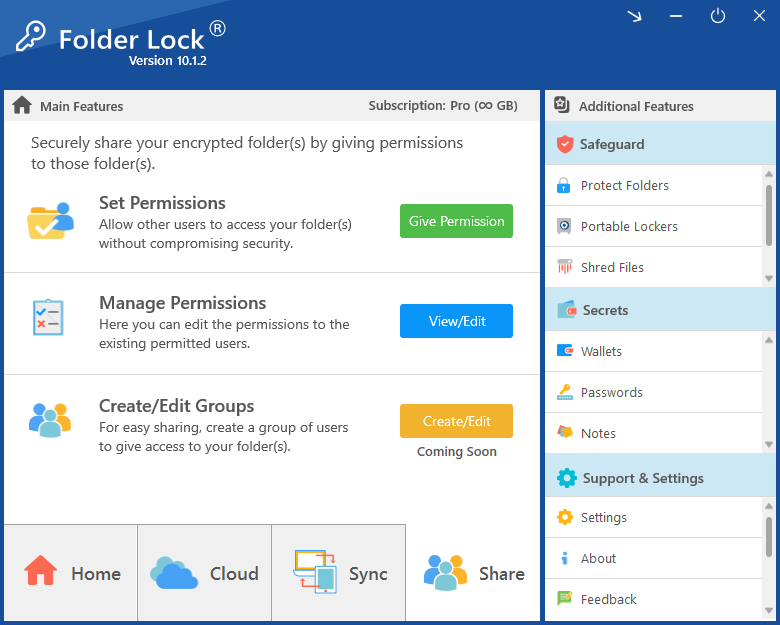
On Windows, its stronger fit is encrypted locker storage. Files can be placed inside a protected locker that uses AES-256 encryption, then opened through a virtual storage view when authorized access is needed. The product material also describes locker workflows tied to Dropbox, OneDrive and Google Drive, plus a portable encrypted-locker option for removable storage.
Folder Lock also supports controlled sharing inside its own ecosystem. That convenience has an important tradeoff: recipients are expected to use Folder Lock and a registered account, and cloud-based sharing can depend on access to the cloud service used for the shared locker. It is therefore better suited to an agreed team workflow than to sending an encrypted file to an arbitrary recipient.
Folder Lock is developed by NewSoftwares.net. For this guide, the product is a companion option for Windows and mixed-device workflows, not a Linux-native recommendation.
Folder LockDesktopCloudSafeguardSecrets
Protected Windows storage
Encrypted locker workflow
Local or cloud-backedChoose local storage, or connect a supported cloud locker for encrypted sync.
Linux boundaryKeep Linux data encrypted with Linux-native tools until it reaches a supported Folder Lock environment.
Common scenarios
Who needs which kind of folder protection?
01
Shared home PC
Use separate accounts and strict permissions for ordinary privacy. Add encryption if someone could read the disk offline.
02
Laptop with sensitive work
Prefer full-disk encryption plus a separate encrypted container for especially sensitive project data.
03
Emailing a folder
Use an encrypted archive or GPG package and send the passphrase through a different channel.
04
Linux + Windows team
VeraCrypt is the simplest shared encrypted-volume option. Folder Lock can complement a Windows-centered workflow.
05
Server directory
Use Linux-native access control and encryption integrated with the filesystem or storage layer instead of desktop vault software.
Reference list
What Folder Lock adds in a Windows-centered workflow
These capabilities are relevant when Linux-created files later move through Windows, cloud storage or mobile devices. They do not replace native Linux encryption.
Encrypted locker storage
The core Windows workflow places files inside encrypted lockers protected with AES-256. The locker presents an accessible storage view only while it is opened for authorized use.
Best for: confidential Windows filesNot ideal for: Linux-only storage
Cloud-linked encrypted lockers
The supplied material describes encrypted locker integration with Dropbox, OneDrive and Google Drive. This lets a user combine client-side protection with the synchronization and recovery features of the chosen cloud provider.
Best for: encrypted cloud workflowsNot ideal for: unsupported providers
Cross-device synchronization
Folder Lock's ecosystem includes companion workflows for iPhone, iPad and Android, and the research also references a macOS app in the synchronization process. The main Folder Lock 10 desktop product remains Windows-focused.
Best for: mixed-device accessNot ideal for: Linux desktop sync
Authorized-user sharing
Protected files can be shared with selected Folder Lock users without relying on one common password for everyone. In the documented workflow, both sides need a Folder Lock account and application access.
Best for: established Folder Lock teamsNot ideal for: zero-install recipients
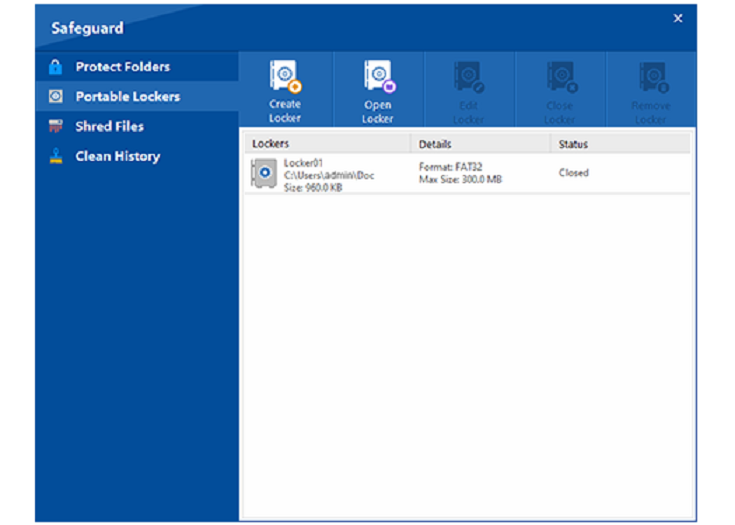
Portable encrypted lockers
The Pro feature set includes a locker format designed for removable media such as USB or external storage. The supplied research does not establish Linux-native opening of that locker format, so we do not present it as a Linux encryption method.
Best for: supported portable workflowsNot ideal for: assumed Linux compatibility
Windows folder hiding and access blocking
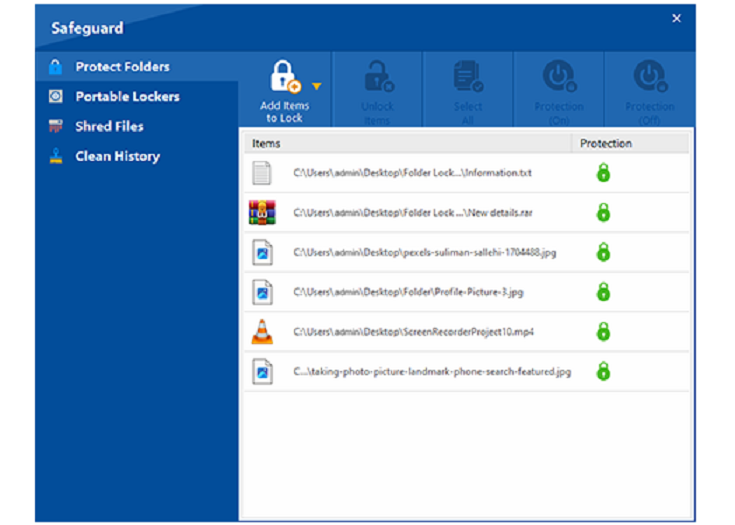
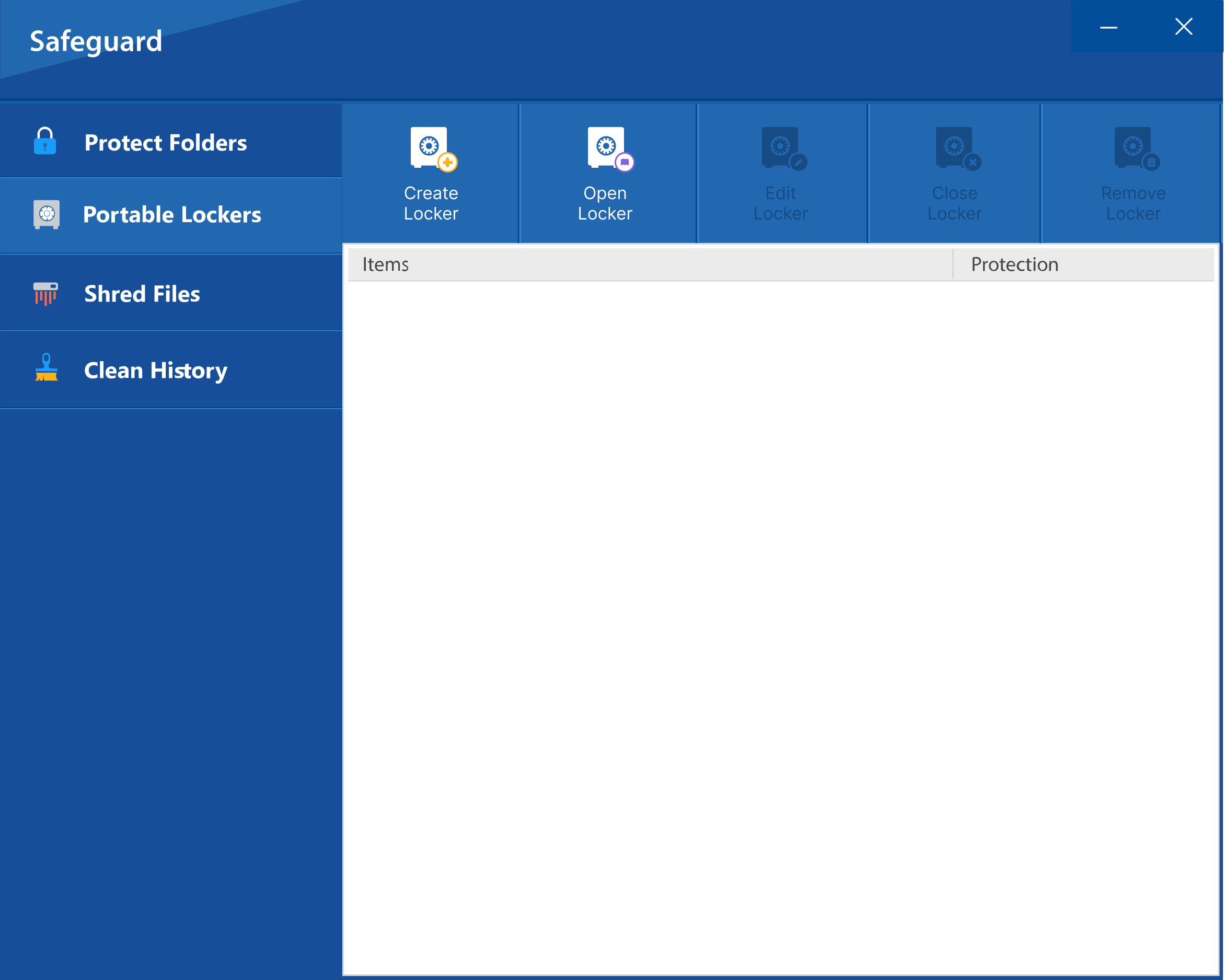
Folder Lock also has a Windows protection mode that can make selected files, folders or drives unavailable and out of view. This is an access-control feature rather than the same thing as encrypting the stored bytes.
Best for: local Windows privacyNot ideal for: replacing encryption
Private data vaults
The product includes protected areas for items such as personal notes, saved credentials and wallet-style records. These features extend the product beyond ordinary folder encryption when one security application is used for several private-data types.
Best for: consolidated private dataNot ideal for: dedicated password-manager needs
Deletion and privacy cleanup
Additional Windows tools cover file shredding, wiping unused drive space and clearing selected Windows activity traces. These are useful privacy utilities, but they solve a different problem from encrypting a Linux directory.
Best for: Windows cleanup tasksNot ideal for: Linux file deletion
Step by step
How to protect Linux-created files when they move to Windows using Folder Lock
This workflow keeps the trust boundary clear: Linux-native encryption protects the files on Linux, while Folder Lock takes over only after the files reach a supported Windows environment.
Protect the source on Linux. Keep the working folder behind VeraCrypt, fscrypt, GPG or another appropriate Linux encryption layer while it remains on the Linux system.
Move an encrypted copy, not exposed plaintext. Use an encrypted container, encrypted archive or another protected transfer path. If you must decrypt during migration, do it only on the trusted destination and remove temporary unencrypted copies after verification.
Open the appropriate Folder Lock locker on Windows. Use a local desktop locker when the data should remain on that PC. Use a supported cloud locker when the workflow needs encrypted synchronization through Dropbox, OneDrive or Google Drive.
Place the files inside the locker and close it. Confirm that the ordinary Windows location no longer contains a forgotten plaintext duplicate and that the protected copy can be reopened normally.
Plan sharing and recovery before relying on the workflow. If files will be shared through Folder Lock, make sure the recipient can use the required account, application and cloud setup. Keep account and recovery information separate from the protected data.
Interactive walkthrough
Follow the protection path
Step 1 of 5
1. Pick the Linux protection layer
Use a mounted encrypted container for everyday work, filesystem encryption for Linux-native storage, or GPG/an encrypted archive for a transfer package.
2. Keep the transfer encrypted
Check Downloads, temporary directories and removable storage for unencrypted copies before you consider the migration complete.
3. Choose a Folder Lock destination on Windows
A local locker suits one PC. A supported cloud locker is the better match when the same protected files must synchronize through a cloud account.
4. Close and reopen the locker
Verify the normal unlock path before deleting your migration backup, and confirm that the protected data is not sitting unencrypted elsewhere.
5. Check recipient and recovery requirements
Folder Lock sharing is an ecosystem workflow rather than a universal encrypted attachment. Confirm recipient access and preserve the information needed for legitimate account recovery.
Permissions are enforced by the running operating system. Encryption changes the stored representation so that possession of the disk alone is not enough to read protected contents. Use permissions to control accounts; use encryption when the storage itself may be exposed.
A VeraCrypt volume is an encrypted container that becomes a mounted filesystem after successful authentication. The unlocked mount behaves like normal storage; the container at rest is not directly readable as ordinary files.
GPG encrypts a file or data stream. For directories, archiving first makes the directory tree one encryptable object. This is excellent for transmission but less convenient for daily editing of many files.
fscrypt integrates encryption with supported Linux filesystems. It is not a portable container format, so its value is strongest when the data remains on a Linux filesystem under administrative control.
Full-disk encryption protects a broad storage boundary when the machine is off. It is excellent against lost-device risks but does not keep one folder secret from a logged-in user who already has permission to read it. A dedicated encrypted container can add that narrower boundary.
Folder Lock exposes two different ideas that are easy to confuse. Its locker model encrypts protected content, while its Windows safeguard feature focuses on blocking access and hiding selected files or folders. For a stolen-disk or offline-reading threat, encryption is the stronger boundary. For a Linux machine, use Linux-native encryption or permissions rather than assuming the Windows hiding mechanism applies.
Software comparison
Linux file lock options: Folder Lock, VeraCrypt, GPG and 7z
This is not a brand contest. Each tool belongs to a different workflow.
VeraCrypt
Native Linux support: Yes.
Best when you want a mounted encrypted volume that also works on Windows and macOS.
Cross-platform container
GPG
Native Linux support: Yes.
Best for encrypting individual files or archive bundles, especially when command-line automation matters.
File encryption
7z archive
Native Linux tooling: Available through command-line implementations.
Best for a simple encrypted archive that can be moved or emailed.
Portable archive
Folder Lock
Native Linux support: Not documented in the supplied Folder Lock material.
The strongest fit is a Windows-side companion: AES-256 locker storage, supported cloud lockers, controlled sharing, portable encrypted storage and additional Windows privacy tools. Companion mobile apps and a macOS sync workflow are referenced, but that does not make Folder Lock a Linux-native folder-encryption tool.
Windows / mixed-device companion
Pricing reference
Folder Lock Pricing: What You Get
The supplied Folder Lock material lists a Free tier and a Pro tier. It shows Pro at $39.95, but the research does not state a billing period, so this guide does not label that figure as monthly or annual. Verify the checkout terms before purchasing.
Matching plan
Free
Use the Free tier when you are evaluating Folder Lock and its listed limits are enough for the Windows portion of your workflow.
$0 in the supplied comparison, with 1 GB of locker capacity and two linked devices.
Relevant when large Linux-created datasets later move into the Windows locker workflow.
Linked devices
2
5
Matters for users who want the protected ecosystem on several supported devices.
User sharing
Not included in the supplied comparison
Available for multiple authorized users
Useful only when collaborators can participate in the Folder Lock sharing workflow.
Portable encrypted lockers
Not included
Included
Useful for removable storage, but Linux compatibility is not established by the supplied material.
Windows folder protection
Not included
Included
This is the Windows access-blocking/hiding feature, separate from native Linux permissions.
Mobile apps and private-data tools
Included
Included
Extends the ecosystem beyond the Windows desktop locker.
File shredding and Windows-history cleanup
Included
Included
Privacy utilities for Windows, not folder-encryption substitutes.
Listed price
$0
$39.95
The supplied research does not specify the billing interval for the Pro amount.
For Linux-only use, plan price is secondary to platform fit. Start with a Linux-native method unless the files also need to enter Folder Lock's supported Windows or companion-device ecosystem.
Do not send the encrypted file and its passphrase through the same message thread. Use a separate verified channel for the secret, confirm the recipient can open the format, and remove temporary plaintext copies after both sides have verified the handoff.
Better habit: share an encrypted file first, then communicate the passphrase by a different channel.
Cloud storage and document security
Cloud synchronization changes where encrypted data is copied, not what strong client-side encryption means. If you upload an already encrypted container or archive, the cloud service receives ciphertext. If you upload ordinary files, rely on the cloud provider's account and storage protections instead.
Keep local recovery keys and cloud account recovery separate.
Metadata stripping before sharing protected documents
Encryption protects the file while encrypted, but once the recipient opens it, embedded author names, revision history, EXIF data or document properties can become visible. Review metadata before encrypting a file you plan to distribute.
Batch password protecting multiple files at once
For Linux, the cleanest batch workflow is usually to package files into one archive and encrypt that archive, or to use GPG in an automation pipeline. Avoid putting passwords directly into command-line arguments where shell history, process listings or logs may capture them.
Legal and compliance considerations for protected documents
Encryption can support confidentiality controls, but compliance normally also depends on access logs, retention, key management, backup, deletion, device management and documented procedures. A password-protected archive by itself does not establish compliance with a specific framework.
DRM vs password protection
Password protection controls whether someone can open a protected object. Digital rights management can also attempt to control actions after access, such as printing or copying. Neither can guarantee that an authorized viewer cannot capture information with a camera or another device.
Protecting documents shared by email vs shared links
Email attachments create copies that are hard to revoke. Shared links can be easier to disable later, but access may depend on the service account and link settings. For high-sensitivity data, encrypt the content before it enters either delivery channel.
Cross-platform document protection
Use a format the recipient can open on their platform. VeraCrypt is strong for a shared encrypted volume across desktop systems; GPG is strong for cryptographic file transfer; encrypted archives are simpler for casual handoffs. Folder Lock fits when the Windows side specifically uses its locker system.
Audit checklist
Before you call the folder protected
0 of 5 completed
Before and after
Protected vs unprotected document risk
Unprotected folder
Files are immediately readable to any account or process that has filesystem permission. A copied disk can expose data if no storage encryption is present.
Encrypted folder or container
At-rest contents are transformed and require the appropriate key or passphrase to become readable. The protection only holds while the secret and recovery material remain controlled.
Troubleshooting
Linux folder protection problems and fixes
Problem
Likely cause
What to do
Can't type password in terminal Linux
Many password prompts do not echo characters
Type the password carefully and press Enter. A blank-looking prompt can be normal.
Another user can still open the folder
Permissions or parent-directory traversal allow access
Inspect ownership and modes with ls -ld; check ACLs if standard modes look correct.
Encrypted archive opens without asking for a password
The archive was created without encryption, or only selected contents were protected
Recreate it with encryption enabled, then test from a fresh directory before deleting source files.
VeraCrypt volume will not mount
Wrong password, damaged header, missing filesystem support or mount permissions
Confirm the password and volume path first; use VeraCrypt's documented header recovery only for a volume you own.
GPG says decryption failed
Wrong passphrase, damaged file or wrong input
Verify the encrypted file hash or transfer, then retry with the correct passphrase.
eCryptfs setup instructions no longer match Ubuntu
The method is deprecated and older tutorials are stale
Use current Ubuntu file-encryption guidance and consider fscrypt, VeraCrypt or LUKS instead.
Forgot the password for your own encrypted data
The only unlocking secret is unavailable
Check your password manager, documented recovery keys, backups and vendor recovery options. Strong encryption generally cannot be legitimately bypassed without recovery material.
How to unlock Folder Lock without a password
Owner has lost credentials
Use the product's legitimate account, registration and support recovery paths. This guide does not provide cracking or bypass instructions.
Verification
How to verify it worked
Protection is only real if you test it from the perspective of someone who should not have access.
PermissionsTry access from another standard account.Expected: permission denied.
Encrypted archiveOpen the archive in a new location without cached credentials.Expected: password required.
VeraCryptUnmount the volume, then inspect the container.Expected: no ordinary files visible.
GPGDecrypt a copy to a temporary location.Expected: correct passphrase required.
fscryptLock the protector and test the directory according to your filesystem workflow.Expected: protected contents unavailable while locked.
Avoid these mistakes
Common mistakes when locking a folder in Linux
Confusing chmod with encryption
Permissions are valuable, but they do not transform file contents. Use encryption when the threat includes disk theft or offline access.
Leaving plaintext copies behind
Encrypting a copy while leaving the original in Downloads or a sync folder defeats the goal.
Putting the password in shell history
Prefer an interactive prompt or protected secret-management mechanism over a reusable command that contains the password.
No recovery test
Do not move all important files into a new encryption workflow until you have successfully unlocked and restored a test copy.
Practical patterns
How real-world users tend to choose
The scenarios below are editorial examples. Separately, the supplied vendor-hosted reviews commonly emphasize long-term use, straightforward day-to-day operation and responsive help during upgrades or PC migrations. Because those reviews are published by the developer, we treat them as anecdotal experience rather than independent evidence of encryption strength.
Home user
“I only need privacy from another account on the same PC.”
Start with separate Linux accounts and restrictive permissions. Add encryption when the disk itself might leave your control.
Consultant
“I carry client files between Linux and Windows.”
A VeraCrypt container is usually the simplest common encrypted volume. If the Windows side already standardizes on Folder Lock, use its locker features there while keeping Linux-native protection on Linux.
Developer
“I need repeatable encrypted exports.”
GPG and archive tooling are easier to automate than a desktop locker interface. Keep passphrases and keys out of shell history, scripts and CI logs.
Small team
“We share sensitive folders through cloud storage.”
Encrypt before synchronization when the cloud provider should not receive readable files. If the team uses Folder Lock sharing, confirm every recipient can use the necessary Folder Lock and cloud accounts before making it the standard process.
Decision guide
Which method or tool is right for you?
Other users on one Linux PCUse accounts + chmod/chown.Folder Lock fit: No. Alternative: permissions.
One folder, strong at-rest protectionUse VeraCrypt or fscrypt.Folder Lock fit: Only on the Windows side.
Send a folder by emailUse encrypted 7z or GPG.Folder Lock fit: Usually unnecessary for recipient compatibility.
Protect a lost laptopUse full-disk LUKS, then add folder-level encryption if needed.Folder Lock fit: Not for Linux full-disk protection.
Linux + Windows shared workflowUse VeraCrypt for common encrypted storage.Folder Lock fit: Useful if Windows users need its locker features.
Related tools
Other security tools from the same developer
These tools are developed by NewSoftwares.net, the same team behind Folder Lock. They are included for context, not as Linux-native recommendations.
USB SecureDesktop
Password protection for removable USB storage in its supported environment.
Linux does not normally add a standalone password directly to a folder. Use permissions for local account separation, or use encryption such as VeraCrypt, fscrypt, GPG or an encrypted archive when the data itself must be unreadable without a secret.
How to encrypt a folder in Ubuntu?
For a new setup, consider VeraCrypt for a portable encrypted volume, fscrypt for a Linux-native encrypted directory on a supported filesystem, or full-disk LUKS if you need device-level at-rest protection. eCryptfs is a legacy choice and is deprecated in current Ubuntu guidance.
How to lock a folder in Linux Mint?
Linux Mint follows the same Linux permission and encryption concepts. For simple local separation, restrict permissions. For a real password-based encrypted object, use an encrypted archive or VeraCrypt container. Check Mint's package tooling for the specific command names available on your release.
What is the best way to encrypt a folder in Linux?
There is no single best method. VeraCrypt is strong for a mounted cross-platform container, fscrypt is strong for Linux-native per-directory encryption, GPG is strong for file-transfer workflows, and LUKS is strong for whole-device protection.
How to use eCryptfs to encrypt a folder in Ubuntu?
eCryptfs can still matter for maintaining an existing older setup, but Ubuntu now considers it deprecated. For a new deployment, follow current Ubuntu file-encryption guidance and evaluate fscrypt, VeraCrypt or LUKS instead.
How to use VeraCrypt on Linux?
Install the official Linux build for your distribution, create an encrypted volume, mount it when needed, work inside the mounted filesystem, and unmount it after use. Keep backups and recovery information separate from the encrypted volume.
How to use GPG to encrypt a folder?
Archive the directory first, for example with tar, then encrypt the resulting archive using GPG symmetric encryption or a recipient's public key. GPG encrypts files or streams rather than mounting a live directory.
How to password protect a ZIP file in Linux?
Use an archive utility that supports encrypted ZIP or 7z output. Prefer a modern encrypted format and an interactive passphrase entry. Test the archive on another account or location before removing the original files.
How to set folder permissions to restrict access in Linux?
For a private folder owned by your account, chmod 700 foldername is a common starting point. Confirm ownership and check ACLs before applying broad permission changes.
Can a password-protected document be hacked?
Any system can have implementation weaknesses, but strong modern encryption with a unique long passphrase can make offline guessing impractical. Weak passwords, exposed recovery keys, plaintext copies and an already-unlocked device are often easier attack paths than the cipher itself.
Is PDF password protection the same as encryption?
Not always. Some document formats distinguish a password required to open the document from restrictions on editing, printing or copying. The open-password function can be backed by encryption, while permission restrictions may be easier to bypass once content is readable.
How do I protect a document without the recipient needing software?
Use a widely supported encrypted format that the recipient's existing software can open. A password-protected Office or PDF document may be more convenient than a specialist encrypted volume, but compatibility depends on the application and encryption version used.
Can I batch password protect multiple documents?
Yes. On Linux, package multiple files into one encrypted archive or automate GPG encryption. Avoid exposing passwords in scripts, command histories or logs.
What password length is recommended for document protection?
Length and uniqueness matter more than forcing many character types. A long passphrase made from several unrelated words is easier to remember and harder to guess than a short pattern with predictable substitutions. Use a password manager when practical.
How do I remove password protection from a document I own?
Open or decrypt it using the valid owner password, then save or export an unprotected copy using the application's normal settings. Keep an encrypted backup until you confirm the new copy is correct.
What happens when I share a password-protected document via cloud?
The cloud service stores and synchronizes the file you upload. If the file is already encrypted client-side, the provider receives that encrypted object. Anyone who downloads it still needs the correct password or key to open it.
How to unlock Folder Lock without password?
If the data and license are yours, use the official registration recovery, account details, saved recovery information or NewSoftwares support. This guide does not provide password cracking or bypass methods.
How to Password Protect Folder Linux?
The practical choices are permissions for account-level privacy, encrypted 7z or GPG for portable packages, VeraCrypt for a mounted encrypted container, and fscrypt or LUKS when you need encryption integrated into Linux storage.
Does Folder Lock run natively on Linux?
The supplied Folder Lock research does not document a Linux desktop version. Folder Lock 10 is presented primarily as a Windows desktop product, so this guide does not recommend it as a native Linux folder-encryption tool.
Which cloud services can Folder Lock use for encrypted lockers?
The supplied material describes locker integration with Dropbox, OneDrive and Google Drive. The cloud provider handles its normal storage and synchronization functions while Folder Lock supplies the protected locker layer.
Does someone need Folder Lock to open files shared through Folder Lock?
For the documented Folder Lock sharing workflow, both sender and recipient need registered Folder Lock accounts and application access. Cloud-based sharing can also require access to the cloud service used for the shared locker.
What are the main limits of Folder Lock Free?
The supplied comparison lists a 1 GB locker allowance and two linked devices for Free. It places user sharing, portable encrypted lockers and Windows folder protection in Pro, while mobile apps, private-data tools, shredding and history cleanup are shown in both tiers.
More on this topic
In-depth Linux folder protection answers
Linux Mint Password Protect Folder
Linux Mint does not change the core distinction between permissions and encryption. Restrict permissions when you only need to separate local accounts. Use an encrypted archive, VeraCrypt or Linux filesystem encryption when the files themselves must remain unreadable outside the authorized session.
When following Ubuntu instructions on Mint, verify package names and filesystem support first rather than copying commands from an old guide.
Ubuntu Password Protect Folder
Current Ubuntu guidance is important because many older search results still center on eCryptfs. For a new machine, treat eCryptfs as legacy and look at current file-level or full-disk encryption options. Use VeraCrypt when portability matters more than tight operating-system integration.
Best way to secure documents before emailing
Encrypt before attachment, send the password through a different channel, and tell the recipient which application can open the file. If revocation matters, a controlled shared link may be better than an attachment, but client-side encryption still gives you a stronger confidentiality boundary.
How to password protect multiple files at once
Create one encrypted archive rather than applying a separate password to every file. This reduces password sprawl and makes transfer easier, though it also means one password unlocks the entire bundle.
Why document password protection is not the same as encryption
A document can expose different controls: an open password that gates decryption, a permissions password that asks compliant software to restrict editing or printing, and application-level access control around where the file is stored. Treat open-password encryption as the confidentiality layer; do not rely on editing restrictions to stop a determined recipient who can already read the document.
Open password vs permissions password - explained
An open password prevents normal access to the content until the correct secret is supplied. A permissions password controls actions after opening in software that honors those restrictions. For sensitive content, the open-password layer is the important one.
What to do if you forget a document password
Use legitimate owner recovery first: password manager history, saved recovery keys, registration emails, backups, enterprise key escrow or vendor support. Strong encryption is intentionally designed so there may be no universal reset once the only decryption key is lost.
How to find Folder Lock files you own
Use Folder Lock's documented interface, your own backups and known locker locations. If an installation has moved to a new PC, recover your registration information and contact the vendor rather than attempting to bypass the protection.
Our verdict
The bottom line
To password protect a folder in Linux, first decide whether you need account-level access control or actual encryption of stored data. Permissions solve the first problem. VeraCrypt, fscrypt, GPG, encrypted archives and LUKS solve different versions of the second.
For a Linux-only system, Folder Lock should not displace those native choices because the supplied product material does not document a Linux desktop build. Its value appears later in a mixed-device workflow: Windows users can place files in AES-256 lockers, connect supported cloud lockers, use controlled sharing, and add portable or privacy-focused features where the selected plan includes them.
If the same sensitive files move between Linux and Windows, keep them protected with a Linux-native method until they reach the trusted Windows side. Then decide whether Folder Lock's locker, cloud and sharing model is useful for the people who handle the data there.